
Finding an item on a Chinese marketplace
Short version: put the category noun first, add a cut and a colour, and search on the marketplace itself rather than in English anywhere else. Then confirm the result is the same item using the hardware, the measurements and the buyer photos, in that order.
This is the page for the items the Orientdig Spreadsheet does not already have, and for the cards on it whose listing has since been taken down.
The rest of this page is that method in detail, with a builder that assembles the phrase for you and explains what each word is doing. Nothing here needs an account, a subscription or a browser extension.
One thing to be clear about first. Searching well tells you that a listing is the item you were looking for. It does not tell you whether that item is worth buying, which is a separate question about the seller and the price.
The tool
Build the search words
Pick what you are looking for and the builder assembles a phrase in the order a Chinese marketplace expects, then explains what every part of it is filtering. Copy it into the search box on the marketplace itself. The vocabulary is ordinary Chinese retail wording, not an OrientDig feature and not a private list.
The method, step by step
Four steps. The first two take a minute, the third is where you will spend your time, and the fourth is the one people skip and later regret.
Name the thing in the most boring way possible
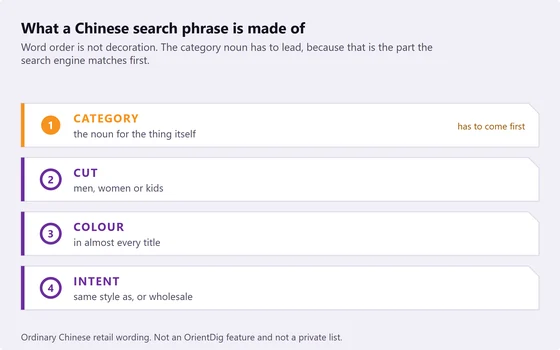
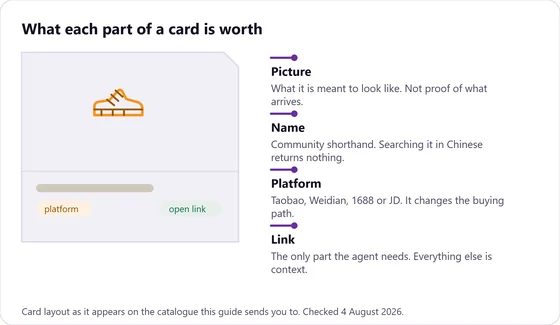
Not the model, not the colourway nickname, not the community shorthand. Just what it is: a hooded sweatshirt, a shoulder bag, a pair of running shoes. That plain noun is what the Chinese category word maps onto, and it is the part the search engine matches first.
If you cannot name it plainly, you are not ready to search for it yet.
Add exactly two filters
A cut and a colour. Not three, not five. Each extra word cuts the result set faster than you expect, and the fastest way to get zero results is to describe the item perfectly.
Colour is usually worth more than any brand word, because colour appears in almost every listing title while brand words are often deliberately omitted.
Search on the marketplace, then read the titles
Run the phrase on the marketplace itself. Ignore the first results and read the titles instead: they are written by sellers competing for the same searches, so they contain the exact words other buyers are using. Take those words and search again.
This second search is almost always the one that works. It is the single most useful habit on this page.
Confirm it is the same item
Four checks, below. Do them before you hand anything to the agent, because once the order is placed you are paying to move whatever you pointed at.
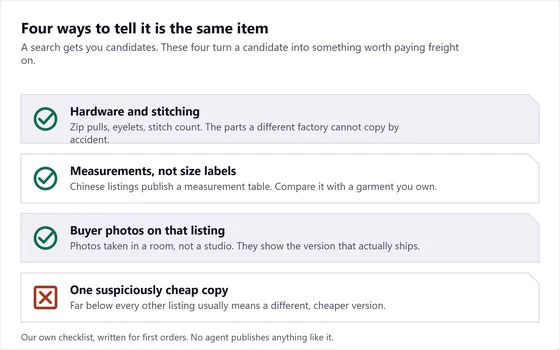
Confirming it is the same item
In order of how much weight each one carries. The first two are close to decisive. The third is a strong hint. The fourth is the one that saves you from a cheap disappointment.
Hardware and stitching
Zoom into the listing photos and compare the small metal parts, the stitch density and the shape of any tab or label. These are the parts that differ between factories, and they differ visibly.
The measurement table
Chinese listings publish measurements in centimetres, usually further down the page than western shoppers expect. Two listings of the same item agree on these. A lookalike usually does not.
Buyer photographs
Photos taken in a room rather than a studio show what actually ships. If a listing has none, you are relying on the seller description alone, which is not fatal but is worth knowing.
The one cheap copy
A listing well below every other copy of the same item is usually a different, cheaper version. Occasionally it is a genuine clearance. Assume the former until the photographs say otherwise.
When all you have is a photograph
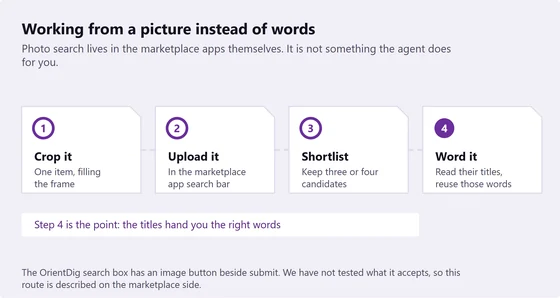
This happens constantly: a fit picture with no link, a screenshot of a screenshot, a video frame. Photo search is the way through, and it lives in the marketplace apps rather than in the agent.
Crop the picture so the item fills the frame and nothing else does. Upload it in the marketplace app search bar. Keep three or four candidates rather than one. Then read their titles, because those titles hand you the words you could not come up with yourself, and go back to a text search with them.
The OrientDig search bar has an image button beside submit. We have not tested what it accepts, so we describe this route on the marketplace side, where we could check it ourselves.
Which marketplace to search first
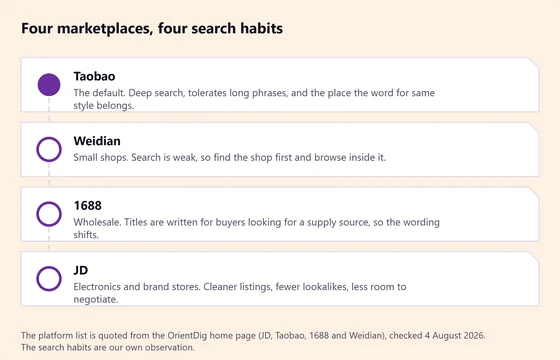
The same phrase behaves differently on each of the four marketplaces OrientDig covers. Start on the one that matches what you are after rather than searching all four badly.
| Start here | When | What to expect |
|---|---|---|
| Taobao | Almost always, and always for clothing and footwear. | The deepest catalogue. Long phrases work. Expect lookalikes and plan to filter. |
| Weidian | The item is from a small independent shop. | Search is weak. Find the shop through a link or a community post, then browse inside it. |
| 1688 | You want several of the same thing, or the Taobao price looks inflated. | Wholesale wording, minimum quantities on some listings, and sparser photography. |
| JD | Electronics, appliances or brand-store goods. | Cleaner listings and model numbers you can type directly. Fewer surprises, less variety. |

What works and what wastes an afternoon
Collected from the questions people ask after a search has gone nowhere.
Works
- Category noun first, then two filters.
- Reading seller titles and searching again with their words.
- Sorting by sales volume to see what most buyers settled on.
- Opening three listings of the same item and comparing measurement tables.
- Saving the shop, not just the item, once you find a good one.
Wastes your time
- Typing the English name of a brand or a colourway.
- Translating a whole English sentence and pasting the result.
- Adding five descriptive words to be precise.
- Searching a community nickname that only exists in English.
- Judging a listing on the main photo alone, which is often the same photo everywhere.
Then hand it over
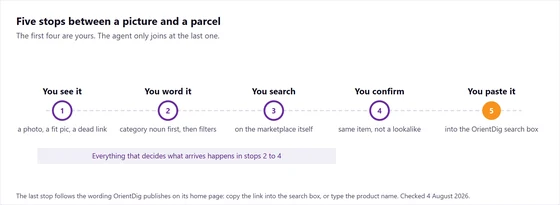
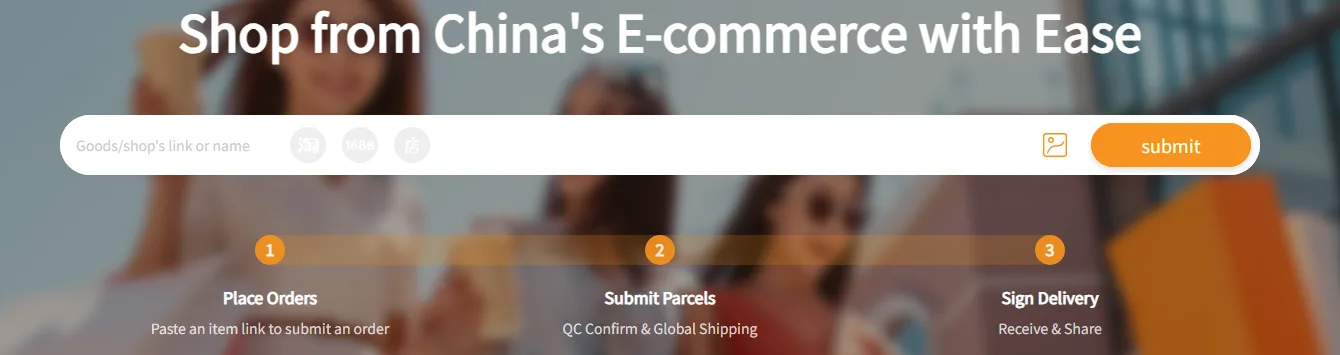
Once you have the listing, the search is finished and the agent takes over. Copy the marketplace link, open OrientDig and paste it into the search box. Its own wording for that step is to copy the link into the search box, or type the product name instead.
Everything after that is ordering: the agent reviews the order, buys from the seller, receives the goods, photographs them, and waits for you to choose a shipping method.
What happens after you paste the link
How to vet a seller once the search returns something
OrientDig names the marketplaces it buys from on its own home page: JD, Taobao, 1688 and Weidian. Which of those a listing sits on tells you most of what you need to know about the counterparty before you look at anything else.
JD and the brand stores on it are the tidy end, with cleaner listings and fewer lookalikes. Taobao is where the variety and the lookalikes both live. 1688 is written for buyers sourcing supply rather than for shoppers, so the wording shifts and the photos are often the factory ones. Weidian shops are small enough that the shop matters more than the listing does.
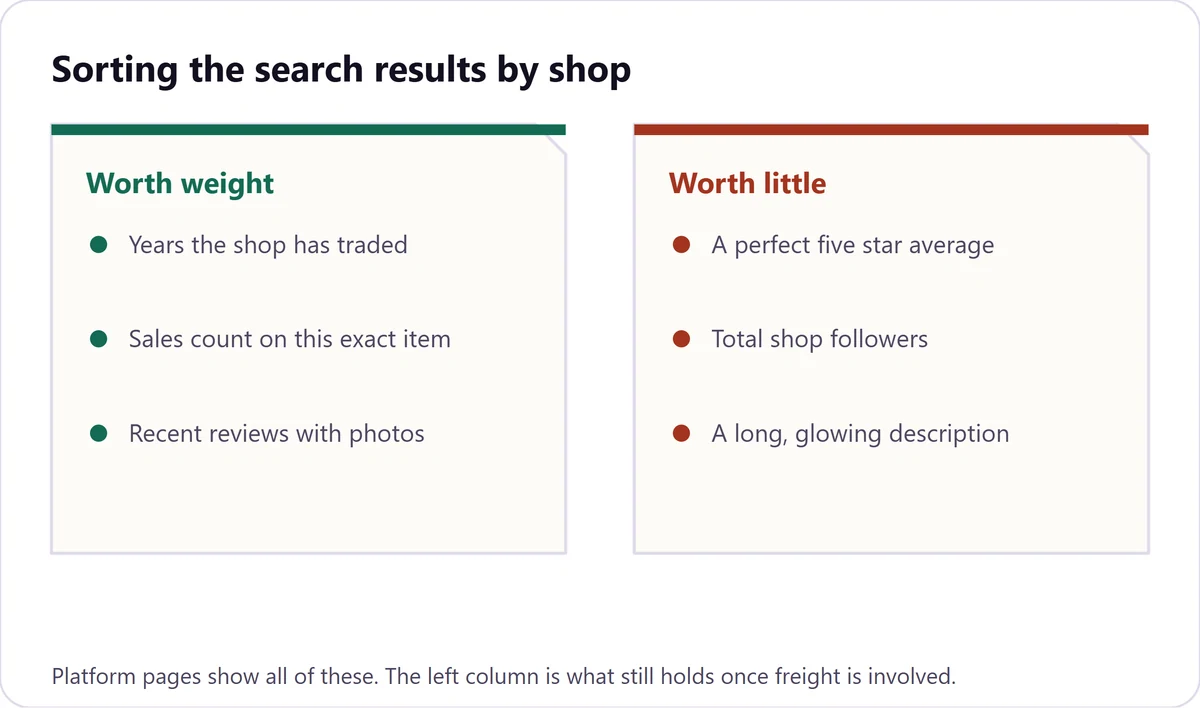
After the platform, three signals that cost nothing. Years the shop has traded, sales count on that exact item rather than the shop overall, and recent reviews that have photographs attached. A five star average with no photographs is the weakest evidence on the page, and it is the one most listings lead with.